World of Warcraft · Addon
WoWHousingDecor.com Scanner by ForgeDMC
A research addon that records item tooltip information while players inspect items in WoW. Its export workflow supports the housing-decor database at WoWHousingDecor.com, helping turn collected item information into a community reference for furniture, decorations, and props. It is a complete published addon that supports the companion website.

- Publication
- Published on CurseForge
- Completion
- Published release; future updates may continue
- Game
- World of Warcraft
- Listed compatibility
- Retail · 12.0.5
- Listed release
- WoWHousingDecorV15.18.zip
- Last listed update
- 2026-03-23
- Project ID
- 1484642
Release details checked September 30, 2026. CurseForge lists the current files, dependencies, and supported versions.
What you can do
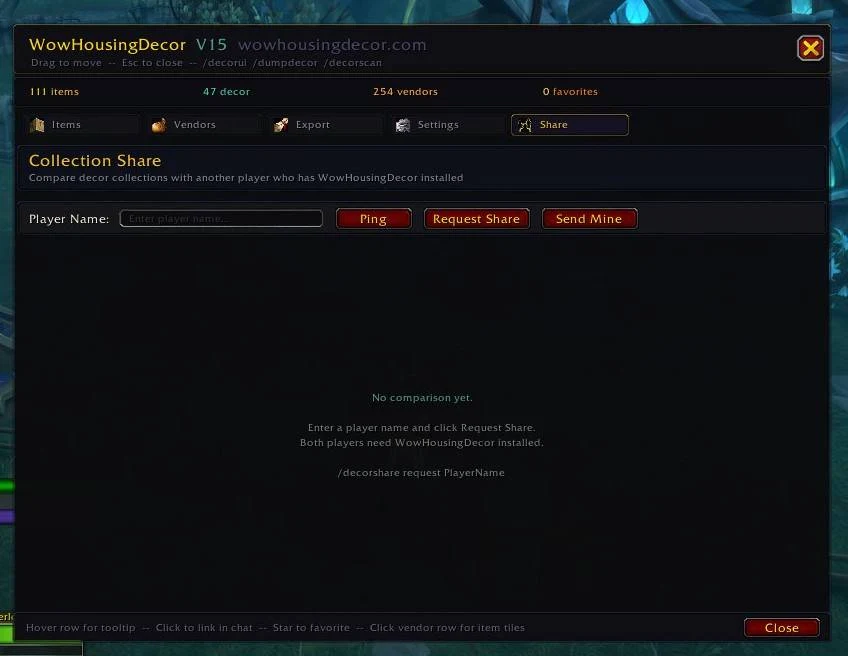
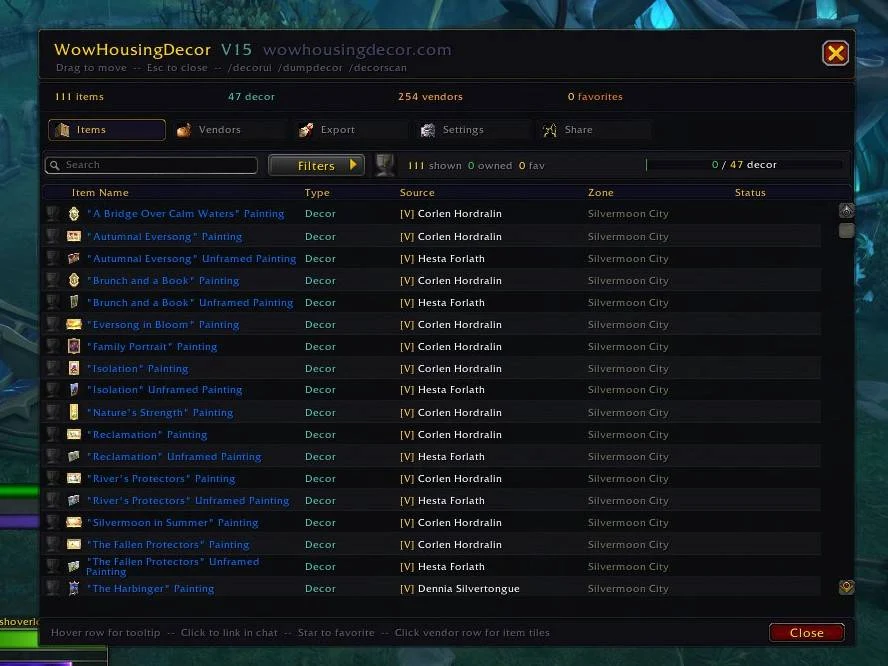
Hover over items in game to collect tooltip information, browse captured items, and use the addon’s export tools for housing research. The gallery below shows the actual item browser and interface from the published CurseForge gallery.
- Automatic tooltip data collection
- Item information recording
- Export for decor research
- Companion to WoWHousingDecor.com
In-game screenshots
Get started
Installation & setup
- Close World of Warcraft and download a release matching your Retail game version from CurseForge Files, or install it using the CurseForge app.
- For a manual install, extract the addon folder into World of Warcraft/_retail_/Interface/AddOns. The folder containing the .toc file should sit directly inside AddOns.
- Launch the game, enable the addon from the AddOns list, and check the project’s description for setup options and commands.
- Before updating, back up your WTF folder to preserve settings. If the addon fails to load, check the release’s game version and dependency information.
Read the official instructions & release notes ↗ — opens in a new tab
Need help with WoWHousingDecor.com Scanner by ForgeDMC?
Include the addon release, game version, steps to reproduce, and any error message.