World of Warcraft · Addon
Dynamic Azeroth Weather by ForgeDMC
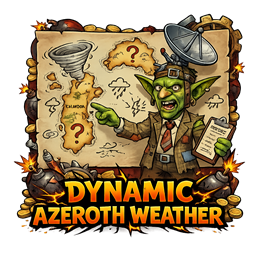
An atmospheric WoW addon that adds a zone-based weather simulation and visual presentation. The listing describes hourly weather changes, forecasts, tint overlays, particles, storm flashes, and indoor fading. Its aim is to enrich exploration, roleplay, and screenshots through configurable addon effects.
- Publication
- Published on CurseForge
- Completion
- Published release; future updates may continue
- Game
- World of Warcraft
- Listed compatibility
- Retail · 12.0.5
- Listed release
- DynamicAzerothWeatherV1.3.zip
- Last listed update
- 2026-03-17
- Project ID
- 1488367
Release details checked September 30, 2026. CurseForge lists the current files, dependencies, and supported versions.
What you can do
Configure the atmospheric presentation to suit exploration and roleplay. Weather simulation, tinting, and particles are addon effects; check intensity and indoor behavior in settings when selecting a comfortable display.
- Zone-aware climate profiles
- Hourly forecasts and weather changes
- Animated atmospheric effects
- Indoor fading and intensity controls
Project visuals
Official project artwork. Browse the CurseForge gallery ↗ — opens in a new tab
Get started
Installation & setup
- Close World of Warcraft and download a release matching your Retail game version from CurseForge Files, or install it using the CurseForge app.
- For a manual install, extract the addon folder into World of Warcraft/_retail_/Interface/AddOns. The folder containing the .toc file should sit directly inside AddOns.
- Launch the game, enable the addon from the AddOns list, and check the project’s description for setup options and commands.
- Before updating, back up your WTF folder to preserve settings. If the addon fails to load, check the release’s game version and dependency information.
Read the official instructions & release notes ↗ — opens in a new tab
Need help with Dynamic Azeroth Weather by ForgeDMC?
Include the addon release, game version, steps to reproduce, and any error message.